Log in
Skip to sidebar
Skip to main content
Connect
Hit enter to search
Help
About Confluence
Log in
Brill Public
Pages
Blog
Page tree
Browse pages
Configure
Space tools
A
t
tachments (1)
Page History
Page Information
Resolved comments
View in Hierarchy
View Source
Export to Word
View Visio File
Pages
Brill Public
Sharepoint Externals
Jira links
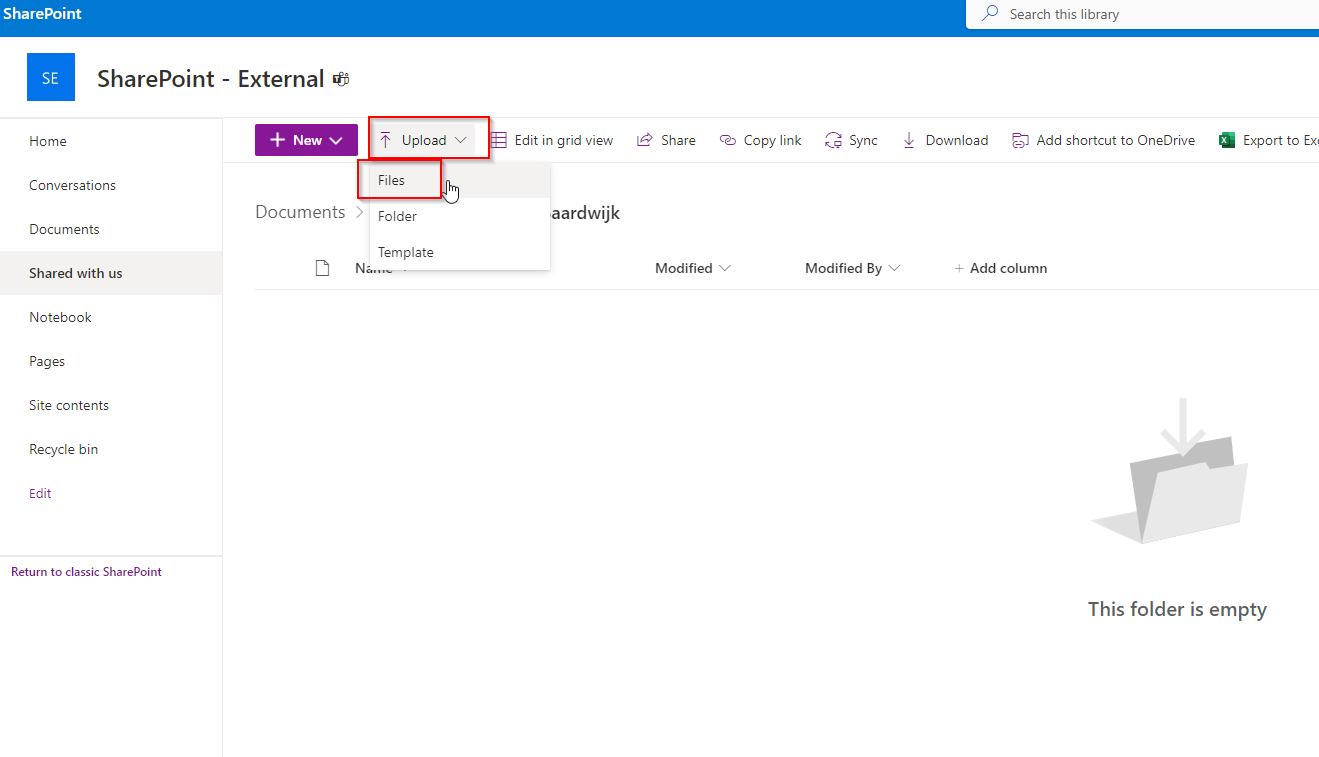
Sharepoint External - How to upload files
Created by
Boaz van Baardwijk
, last modified on
Jun 09, 2023
Go to the location the person shared with you
Click on Upload > Files
3. Select your files from your file explorer and Done!
No labels
Overview
Content Tools
{"serverDuration": 116, "requestCorrelationId": "910168db61e594ec"}